Showing posts with label Top 10. Show all posts

Saturday, 16 August 2014

Top 10 Games Coming Soon!!!

Posted by Unknown On 03:48 No comments
These are the upcoming games that are going to be released.

#10. Pokemon Alpha Sapphire/Omega Ruby


Release: Nov 21, 2014
Platforms: Nintendo 3DS

#9. Mortal Kombat X


Release: Dec 31, 2015
Platforms: PC, Xbox 360, Xbox One +2 more

#8. Assassin's Creed: Rogue


Release: Nov 11, 2014
Platforms: PlayStation 3, Xbox 360

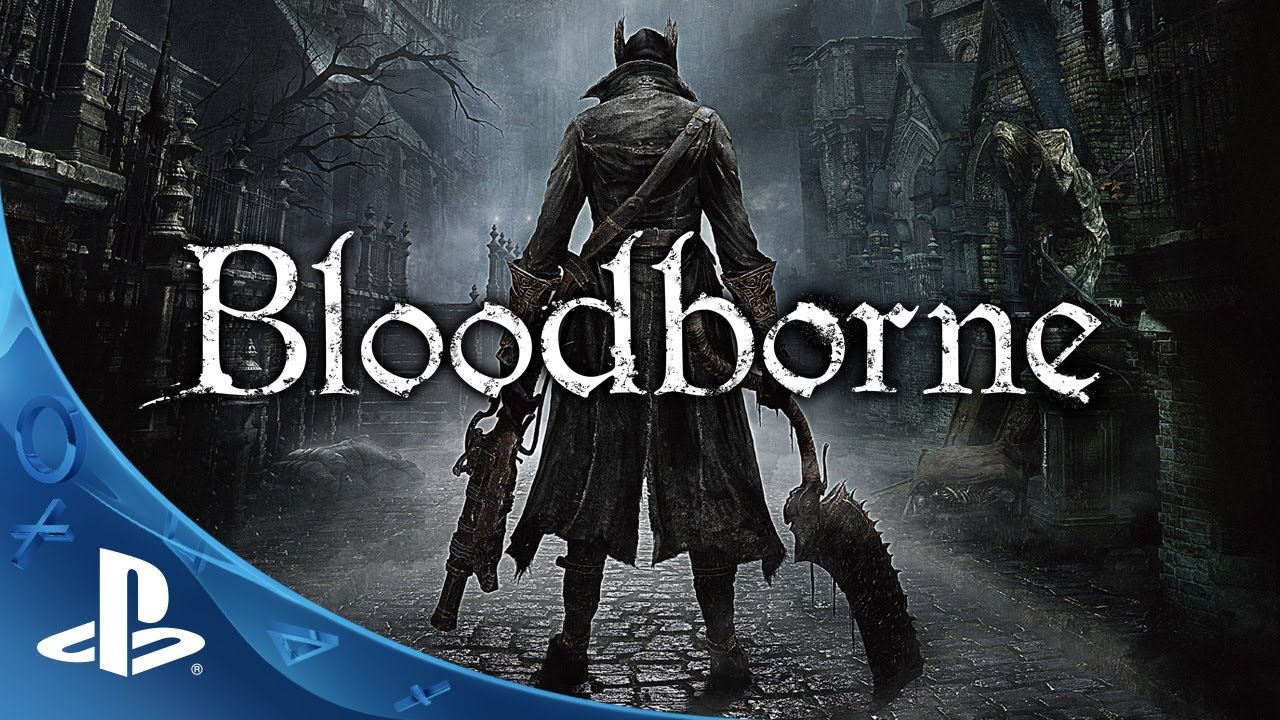
#7. Bloodborne


Release: Dec 31, 2015
Platforms: PlayStation 4

#6. Far Cry 4


Release: Nov 18, 2014
Platforms: PlayStation 3, PlayStation 4, Xbox One +2 more

#5. Metal Gear Solid V: The Phantom Pain


Release: Dec 31, 2015
Platforms: PlayStation 3, Xbox One, Xbox 360 +2 more

#4. Assassin's Creed Unity


Release: Oct 28, 2014
Platforms: PlayStation 4, Xbox One, PC

#3. Rise of the Tomb Raider


Release: Dec 31, 2015
Platforms: Xbox One, Xbox 360

#2. Call of Duty: Advanced Warfare


Release: Nov 3, 2014
Platforms: PlayStation 3, PlayStation 4, Xbox One +2 more

#1. Destiny


Release: Sep 9, 2014
Platforms: PlayStation 3, PlayStation 4, Xbox One, Xbox 360

Saturday, 2 August 2014

Top 10 Photo Editing Software 2014

Posted by Unknown On 22:36 No comments
Ø  Whether you are a budding or an experienced photographer, or you just need a program to help finding the right photo editing software to improve and enhance your photos can be intimidating.

Ø  Now a days, editing software, becoming even more user friendly over past few years.

Ø  Now it is easy to edit your pictures without any previous experience. And with so many ways to share your pictures with social media and mobile devices.

Ø  Photo editing software can remove limitations of your camera and allow to display your pictures as you intended them to turn out.

Ø  Photo editing software enables to fix damaged photos, create compositions from multiple photos and create original works of art.

Ø  With these programs, you can salvage a terrible picture and turn it into something amazing.


What to Look For?

·         Editing Tools
The best photo editing software will have an almost bottomless toolbox full of editing tools and options. Features including red-eye correction, lighting and contrast adjustment, color management and layers are basic tools all photo editors should have. Advanced tools such as cloning and touch-up tools enable you to remove unwanted objects and people from your photos, get rid of skin blemishes and whiten teeth. More tools you have in your photo editor toolbox, better able you will be to get results you are looking for.

·         Organizing
Good photo editing programs help you keep your photos organized for easy access. Being able to sort your images by thumbnails, keywords or rating is invaluable. Given large number of photos that people tend to take with digital cameras, an organizing feature that allows you to categorize your pictures the way you want is more important than ever.

·         Sharing
Best photo editing software should give you the tools you need to optimize your photos for sharing. There are many ways to share your photographs, including by email, prints, web slideshows and social media sites such as Flickr and Facebook.

·         Import Formats
There are widely used formats the program should definitely support. JPG, GIF, TIF and PNG are among the most common. However, with ever-changing nature of file formats, more is better, especially if you frequently use other programs at work or school.

·         Output Capability
The software should be versatile and effective in saving images. It ought to save your photos so they can be opened by other programs and used in printing, emails and on the web. Templates to create cards, scrapbook pages, collages and slideshows are included with many programs and are a great bonus if you plan on exercising your creativity.

Here we go, The Top 10 Photo Editing Software

#10. Photo Impression


Advantage:
This program is incredibly easy to use and helps keep your photos organized.

Disadvantage:
This program has limited editing capabilities and no social media sharing options.

The Verdict: 6.4/10
If you don't need advanced editing tools or sharing options, then this is your program.

#9. Photolightning


Advantage:
            This software makes it easy for beginners to make edits to groups of photos all at once and lets you annotate your photos with text and shapes.

Disadvantage:
            There is no RAW support, and you cannot make fine adjustments for many basic editing processes.

The Verdict: 6.45/10
While not as powerful as our top-ranked photo editing software, this program has many good features for beginning editors and features batch processing.


#8. PhotoStudio

Advantage:
This program is among the easiest to use.

Disadvantage:
            There are no social sharing options and the import and export file support is limited.

The Verdict: 6.6/10
This software is easy to use and has decent organizing features.

#7. Cyberlink PhotoDirector Ultra

Advantage:
            This software has excellent organization features, preset color schemes and you can make slideshows within the program itself.

Disadvantage:
            You can only import JPG, TIF or RAW files, and the software is missing standard graphic design tools.

The Verdict: 6.9/10
PhotoDirector Ultra 5 is a good photo editor and organizer if you just want to enhance and edit your photos and don't want to do any design work.

#6. ACDSee Photo Editor

Advantage:
            The lighting and color correction tools are very effective, and this software can open nearly all file formats. You can also choose from many project templates to make graphics for T-shirts, wine bottles and more.

Disadvantage:
            This software does not have plugin support, and there is no option to correct lens distortion or make panoramas.

The Verdict: 7.2/10
ACDSee Photo Editor 6 is very easy to use and is great for beginning editors. It also has the tools you need to get professional results.

#5. Corel PhotoImpact

Advantage:
            This program has all the basic photo editing tools you will need and can import almost every file type.

Disadvantage:
            We would like to see more sharing and organization features added to this program.

The Verdict: 7.28/10
This program is not remarkable, but it will get the basic editing jobs done without a hassle.

#4. Xara Photo & Graphic Designer

Advantage:
            This program can import almost any image file type and it has over 360 fonts and 60 creative filters to make your photos shine.

Disadvantage:
            This software has a steeper learning curve and the photo editing tools are buried under the design tools.

The Verdict: 8.48/10
Xara Photo & Graphic Designer 9 is a versatile, powerful editing suite. If you have patience to learn, it can give you some great results.

#3. Serif PhotoPlus

Advantage:
            This application features extensive video tutorials and instructions that make it easy to use, regardless of your experience level.

Disadvantage:
            It can take a while to learn enough to take advantage of all of this application's potential.

The Verdict: 8.9/10
Among the best photo editing applications available, this product is perfect for experienced photo editors or those who are just getting started.

#2. Adobe Photoshop Elements

Advantage:
            This program learns from your preferences, and the Guided mode gives you step-by-step instructions on what tools to use to accomplish different editing tasks.

Disadvantage:
            You cannot create actions, and the included photo organizer, Adobe Revel, is a separate program, adding an additional step to the editing process.

The Verdict: 9.65/10
Photoshop Elements 12 is ideal for beginners and powerful enough for veterans. The flexible, professional tools let you manipulate settings with precise detail and enable you to unleash your creative potential.

#1. Corel PaintShop Pro

Advantage:
            PaintShop X6 gives you the professional tools you need and integrates 64-bit processing to speed up your workflow. It also has excellent organization and sharing features.

Disadvantage:
            It only works on Windows operating systems.

The Verdict: 9.88/10

This program is easy to learn and use, and the professional-grade tools and features allow you to edit like a pro.

Monday, 19 November 2012

Top 10 Typing Software

Posted by Unknown On 22:52 No comments


Why Typing Software?

Let's face it – if you want to get ahead in today's working world, computer skills are the bedrock of just about any job. Moreover, if you possess first-rate typing skills, you will already have an advantage over others with less polished skills who might be competing for the same position you would like. 

Top-quality typing software can help you tackle beginning keyboarding skills or help improve your speed and accuracy if you already have the basics down.
These helpful software products offer the features, lessons, drills and tests to help you type better and faster than before. 

It doesn't matter what age you are or what your skill level might be, the best typing software can give you a decided boost when it comes to getting those fingers flying on a keyboarding. When you investigate different types of typing programs to find the best one for you, be sure to read our product reviews and articles on typing software.

We examined different learn to type software programs and we offer comprehensive reviews of such products as Typing Instructor Platinum, UltraKey and Mavis Beacon Teaches Typing Platinum. 

We hope this will help you make an informed decision about which typing software is right for you, not only for work purposes, but also for leisure activities that increasingly call for computer literacy to enjoy hobbies and pastimes to the fullest.

In addition to increasing your typing speed and accuracy, the best typing programs offer lessons on 10-key skills (typing numbers quickly and correctly). You can focus your typing practice on anything from just one hand to one finger.

The best typing programs are designed so you won't come to regard this practice as drudgery. For fun, try the challenging and entertaining typing software games included with the applications. 

These actually are a valuable use of your time. Typing games are excellent recreation for aspiring typists of all ages, but they also help you work on those essential skills without making it seem like work. Games are a great way to get in important practice that will help you move quickly toward your goals.

It’s important to get software that lets you chart your progress as you work with the typing software. Most typing programs make it simple to monitor your keyboarding skills, words per minute and other things. Initial skill level tests can pinpoint your ideal starting level, and progress reports and graphs show you how much your typing has improved.

Typing Software: What to Look For

Top typing software is easy to use and offers a wide selection of typing tests, lessons, games and customizable options to make your typing experience enjoyable. Below are the criteria we used to evaluate typing software.

Feature Set 
Learn to type programs should provide new users with a pretest to determine the best typing level to start. The application should have optional warm-up exercises available as well. Some of the most common features include a large number of lessons and skill tests; 10-key training; the ability to track your progress; customizable options; and typing games.

Ease of Use 
The features and instructions for the typing software should be easy to find and simple enough for anyone, of any age and with any skill level, to use and learn. The typing software should be easy to install and should not cause errors during installation.

Help & Support 
Typing software help files should be straightforward and right where you need them, whether it’s in a user manual or via online help. It also can be quite useful if the typing software manufacturer offers telephone or email technical support and an online FAQs page.

Find the Top 10 Typing Software here:


Courtesy: TopTenReviews

Top 10 Best Vocabulary Software

Posted by Unknown On 22:52 1 comment


Why Use Vocabulary Software?

Vocabulary software is designed to help you spell, pronounce and understand new words faster and more efficiently than one of those word-of-the-day calendars. A larger vocabulary can improve a student's test scores and increase an adult's marketability in the workforce. 

Vocabulary building will enhance your reading comprehension, and the best vocabulary software allows you to choose the level of words you want to learn.

High quality vocabulary builder software such as Ultimate Vocabulary, WordSmart Adult Learning Excellence and WordSmart High School Excellence uses various methods, such as games, sentence completions and quizzes to teach you new words and to help you retain the information you've learned. In addition to detailed reviews of each application, be sure to check out our articles relating to vocabulary software.

Vocabulary Software: What to Look For

Vocabulary building software needs to be accurate, informative and up to date to be effective. Applications that provide inaccurate or outdated information are useless to students of language. 

The application also needs to be user friendly so that you can focus on learning new words, and not on learning to use the interface. When you look for vocabulary software, consider the level of words covered as well as the level of accuracy. Choose software that offers learning tools that suit your style of learning so that you can make the most of the time you spend using the application.

Below are the criteria TopTenREVIEWS used to evaluate vocabulary software:

Teaching Tools
The teaching tools are the means by which the software facilitates learning. The best software offers an assortment of teaching tools such as flashcards, sentence completion exercises, puzzles and games. Audio pronunciations of each new word are also helpful. We looked for vocabulary software that offers a variety of tools so that all types of learners can benefit from using the application. We also considered how the software tracks the progress of each student to ensure that he or she is really learning what is being taught.

Instruction Quality
Some of the software in this review is intended for a certain age group. Other applications are intended for a wider audience but can be adjusted to fit the needs of the student. The best vocabulary software has a large number of vocabulary words and allows you to choose which ones you want to use. We also created a usefulness score, which rates the variety of teaching methods and how easy the application is to use.

Subjects Covered
First-rate vocabulary builder software will give you thorough definitions of each word. In addition, it will offer pronunciations, synonyms and teach you how to spell the words. Understanding what each word means will help you retain the word's meaning and allow you to use it in conversation.

Help & Support
Vocabulary software should be easy to use, but if problems do occur, there should also be a helpful customer support system available. We examined what kind of online assistance each manufacturer offers, as well as what kind of contact methods they provide.

Find the Top 10 Best Vocabulary Software here:


Courtesy: TopTenReviews

Top 10 Best Convert PDF Software

Posted by Unknown On 22:51 No comments


Why Convert PDF Software?

Have you ever received documents from clients, customers, businesses, family members or friends and not had a compatible program on your own computer? Do you get tired of those pop-up promptings that suggest you download a compatibility pack? 

Have you ever spent hours, days or even weeks creating a document with unique text features, self-chosen pictures and an instructional video and not known how to send it because you knew that sending it in its current format would ruin the layout, features and other content when it was opened in a different application? 

There is a solution to all of these potential problems: convert PDF software. Convert PDF software allows you to open or save your document in a format that is universally readable and printable.

There are plenty of PDF software options that we would not consider a complete convert PDF software solution. We selected the best options with all the features, tools and quality we found users want. 

In this review site, you’ll find side-by-side comparisons of the top convert PDF software products along with supporting articles on convert PDF software to assist you with choosing the best solution for your needs and to provide you with a quick guide on how the software works. To read the full reviews on the top three products check out: Acrobat X Pro, PDF Converter Professional and Nitro Pro.

Convert PDF Software: What to Look For

To find the top 10 best convert PDF software applications, we looked at the most common features and design aspects the majority of users focus on in a convert PDF software product. The basic question for most users would seem to be: how do I create, edit, secure, enhance and share my documents easily? Below are the criteria we used to evaluate each software application:

Editing
Convert PDF software should allow users to make minor corrections to a PDF without having to first convert back to the original document format. This is especially important when you’re attempting to edit and create a PDF file of a scanned physical document. Your convert PDF software application should provide a way to mark up the document (add comments, highlight, strike out text, etc.) in case you need to collaborate with others. If there is editing to be done, you should have some way of signing your name on the document and securing it, limiting changes or blackening out sensitive information. The best software we reviewed also has tools for emailing your PDF or uploading it to a website.
Multimedia
A picture really is worth a thousand words. A full-featured PDF software choice should provide basic multimedia capabilities to add life to the otherwise plain text document. Our top convert PDF software products have the ability to add video and audio content as well as images. At the very least, the convert PDF software should allow you to add images and hyperlinks.

Printing
In addition to basic printing, you may want to know what tools are available for making high-quality documents to send out for commercial printing. Some of the software apps have special features like color matching or optimizing tools to ensure that your document prints exactly as it appears on your computer screen. A great feature is the ability to create PDFs from any application by printing to the PDF printer associated with the software.

Ease of Use
Convert PDF software should create PDFs easily from many different file types and from different locations, whether from the PDF software itself or from other word processing applications. Another important aspect is the feel of the interface. Does it have a familiar, intuitive feel? Is the design cluttered with tools and menus? Does the software have tools with captions that are easy to understand? We looked at each of these features while reviewing each application.

Help & Support
When determining the proper ranking for each product’s help and support team, we evaluated their resources and customer service efficiency. Is there a help menu included in the software, or do you have to go back to the website? Does the website have videos or tutorials explaining the product, a knowledgebase of articles or a forum of fellow users? The best convert PDF software choices are backed by companies that have user-friendly features like live chat and 24/7 customer support.

Find the Top 10 Best Convert PDF Software here:


Courtesy: TopTenReviews

Top 10 Best Office Softwares

Posted by Unknown On 22:50 No comments


Why Use Office Software?

We open and close so many emails, documents and spreadsheets in our daily lives that we often don’t pay much attention to the programs we’re using. Even if they often go underappreciated, word processors, spreadsheet programs, presentation software and email clients are central components of our professional and personal lives. 

Office software is more than a set of handy tools for creating a document; it helps us organize our crowded lives, express ourselves, communicate and realize ideas. We have found that the best products suited to these needs are Microsoft Office, WordPerfect Office and Kingsoft Office. For more information on understanding your software needs, take a look at our articles on office software.

From the effective training of new recruits to balancing a budget, office software is critical in the modern business environment. Creating and sharing content is easier and faster than ever with word processing tools. 

Office suites include software for creating and delivering professional presentations to groups. Calculating interest on loans, monitoring payroll and organizing numerical data are largely automated with the help of spreadsheet software. The utility of a secure and effective email client is as necessary for a small business with 10 clients as it is for multinational firms.

From a business point of view, advanced office software offers a wealth of features that streamline routine tasks and enable greater efficiency. Publishing platforms, program management tools, security software and data transfer utilities are useful tools you’ll find in professional-level office suites.

What to Look for in Office Software

Office software helps address the needs of today’s office and home settings. These needs are numerous and not easily addressed. While intended to enhance your productivity, if an application is lacking in certain features or capabilities then it could potentially detract from your goal. 

To help you optimize your productivity, we have located the best software in the industry. Each application is broken down by feature on our side-by-side matrix that will help you decide which software will best suit your needs.
We have narrowed down the topics of concern regarding office software to four main points:

Included Software
Effective office software should operate as the nerve center of a modern office and will include a word processor, spreadsheet program, slideshow program and email client. The needs of the office and home settings cannot be exclusively relegated to a single software program, instead consisting of a professional suite of applications. Each of these plays an important part in the needs of the modern computer user.

Word Processor & Spreadsheet Features
Word processors and spreadsheet utilities are the heart of the workplace. We ranked products according to the overall efficacy, usability and stability of their basic productivity tools. Further, we favored products that can read and convert a wide range of file formats. We took other important factors into account such as basic word processing needs like formatting and change tracking in addition to spreadsheet needs like formula editors.

Ease of Use
Superior office software should be provided in an easy-to-use package. When users are able to quickly create professional-looking documents, office software becomes a valuable investment to the home and office setting.

Customer & Community Support
Using a new program of any type for the first time is daunting. Good office software suites include thorough documentation, help files, FAQs and an active online community. In addition to these, we factor in regular updates to address bugs and security issues.

Find the Top 10 Best Office Software here:


Courtesy: TopTenReviews

Top 10 Scheduling Software

Posted by Unknown On 22:49 No comments


Why Scheduling Software?

The array of scheduling software applications assembled here is some of the finest time management software out there. Time management personally and at the office is vital for the busy professional. 

The programs reviewed here focus on software that does a lot more than just show you a calendar and a task list: look for task management, email clients, mailing labels, office functionality, and compatibility with some of your most popular office hardware and consumer electronics.

Ask anyone and they will tell you there is no perfect time management software. Usage, users and desired result determines the program that will be best for your organization. You really have to test these programs to find out if they have what you need and if you feel comfortable using them. 

If you don’t feel comfortable using them or they are too difficult to learn, you won’t use it and your time will remain un-managed!

Some of the programs on this list are downloads, others are software and yet others are software as a service (SaaS). Be sure to visit our top-ranked products, Chaos Intellect, VIP Task Manager and WorkEngine and our articles on employee software applications.

What to Look for in Scheduling Software

Task ManagementThis category is weighted the heaviest on our side-by-side matrix because if you are looking for a program to manage time and tasks, these are the bare minimum requirements: views – everyone has their favorite/most natural-seeming way to view a long list of things to do or files to open, etc. List, tree and calendar views should all be available in a good scheduling software program.
You should also be able to filter, sort, group and prioritize tasks in the program. Being able to set task duration is another key element in this category. You won’t see the programs on our line-up missing more than one or two of these.

FeaturesOn our side-by-side matrix, design features, email functionality, office functionality and import/export/output compatibility are the major categories we looked at. Again, fairly basic but so much of choosing one of these programs depends on how it feels to you personally.

Ease of Use/SetupThis category is self-explanatory but we take it seriously when comparing these time management software products side-by-side. Is it a download? Is it SaaS? Is it complicated for the beginning user?
Is it a breeze and a pleasure to use? Is it so overwhelmingly huge that it’s intimidating? These are the questions we ask when adjudicating how each program works and what makes it tick.

Find the Top 10 Scheduling Software Here:


Courtesy: TopTenReviews

Top 10 Spreadsheet Software

Posted by Unknown On 22:48 No comments


Why Buy Spreadsheet Software?


A spreadsheet is just another way of referring to a program that simulates a paper worksheet, like from an old time ledger. For those of you who are still using a manual approach to keeping your books, etc. 

A spreadsheet program is a computer program that consists of rows and columns that make up a grid. You can enter a formula that will automatically total a list of numbers, meaning you’ll never have to get out that calculator again.

While Microsoft Office and Excel have become the industry standard, not all spreadsheet programs are created equally. Whether you're looking for a certain function or just an Excel alternative, it's important to make an informed decision. 

You need to find something that is easy-to-use and above all, economical! We have rated the bestspreadsheet software so you that you can determine which is the best for your needs and your budget. On this site you will find articles related to spreadsheets as well as reviews of spreadsheet software.

Most spreadsheet programs are simply parts of a larger home office suite. This means that the programs cannot be purchased as a standalone product, but in most cases you may find this to be advantageous since you’ll get an entire package and this can certainly mean you’ll get more bang for your buck. 

  • Usability – Can you find things? Is it easy to delete or insert cells? Can you change the font sizes and colors without too much difficulty?
  • Easy formulae construction - When you need to develop a formula, is it easy to figure out how to make the formula?
  • Formula library - You don't want to write every formula you need. Look for a repository of formulae you can pick from.
  • Conditional formatting – We all know that you want to highlight the important parts of the spreadsheet – the one that shows how much profit you’ve made or how much you owe (oh, we hope not).
  • Printing – Be sure to pick a program that lets you print the part of the spreadsheet you’re interested in printing. If not, you’ll end up with an enormous printout that may not even be able to fit onto the paper you’re using in your printer.
  • Publishing to the Web – Many of the spreadsheets you develop may be of interest to many people in your organization. This means that instead of e-mailing the spreadsheets around, you may want to consider putting them up on a website. Good spreadsheet programs make it easy to convert a spreadsheet to HTML so it can be put up on the Internet easily.
  • Adding symbols and pictures – In your final product, the fact that you can make the information you’ve gathered look appealing may end up being very important to you. Select a product that gives you the ability to import attractive symbols, images, and to easily change the colors, type faces, and backgrounds of the fonts.
Find the Top 10 Spreadsheet Software Here:


Courtesy: TopTenReviews

Top 10 Word Processing Software

Posted by Unknown On 22:46 No comments


Why Buy Word Processing Software?


Word processing software is a tool that can be used to create almost any kind of text document you can think of. From blogs to postcards, this type of software allows even new computer users to create professional looking projects at home or in the office. 

Most people are familiar with the basics of word processing, but there are tons of options and additional features that can really take your document from fine to fantastic. 

And while Microsoft Word has become the recognized standard, there are several other alternatives that you might want to consider.

What to Look for in Word Processing Software

Finding the best word processing software for your needs can be difficult, so we've done the work for you! We've found the best software, tried them out and posted the goods here so you can make an informed decision before you buy.

Here is an overview of the criteria we used when ranking each software brand.

Usability
You don't want to buy word processing software that you can't figure out. That's why we made sure to test each piece of software from a beginner's point-of-view. 
You're also going to be looking at the software's screen for prolonged periods of time, so we also took note of how easy the layout is on the eyes.

Basic Features
These are features that we feel every word processor should possess. From creating bulleted lists to keeping your documents safe, these features are essential to making simple documents that will work for the office, classroom or home.

Editing Tools
We understand that not everyone is a spelling whiz or a grammar champion. Good text software should pick up the slack. We looked for software that included dictionaries, thesauruses, spell checkers and grammar correcting tools built in.

Publishing/Print Options
A finished document sitting on a hard drive is of no use. Print and publishing options help you get that text out to the world by turning it into blogs, HTML, wikis and more with a few mouse clicks.

Insert Tools
Plain text is boring. Insert tools jazz up documents by allowing you to add drawings, pictures, clip art, graphs, charts, movies and more. Better yet, these word processors have tools that allow you to create many of these types of media yourself for a truly unique touch to your projects.

File Formats
When you're done with a text document, you may need to send it to someone else. Saving your document in a form that your buddy can open on his computer is crucial. Because of this, we checked to see which programs could save in different file formats, including rich text format, .doc, .txt and more.

By browsing these categories in each review, you will be able to find the features that you need for your projects, and ultimately, make an informed decision on the word processing software you need.

Find the Top 10 Word Processing Software Here: 

http://office-software-review.toptenreviews.com/word-processing-software/


Courtesy: TopTenReviews


Site search